 Rob

A reading log can record books, reading sessions or both. Those are different jobs. A book list helps you remember titles and decide what to read next. A session log shows where you stopped and gives you a place for a brief note. You do not have to count minutes or pages unless those numbers serve a purpose for you.
If your aim is to build a reading routine as well as record books, use the printable habit tracker for a clearly defined daily action. Keep book details in the reading log so a missed session does not erase what you have already read.
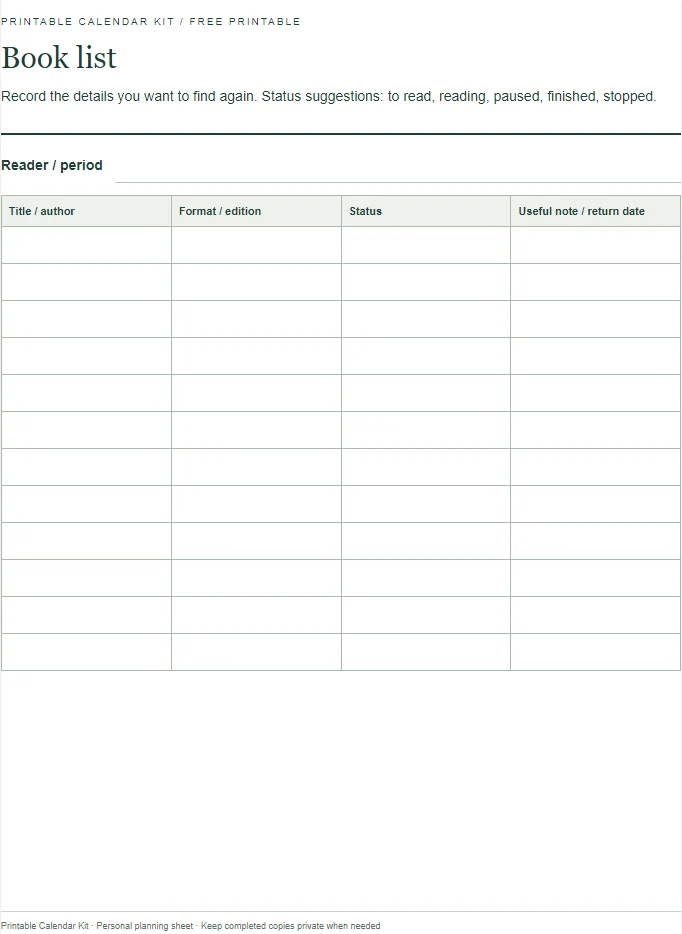
Open the printable book list and reading-session log. The two-page resource includes a blank book list, a session table and space for notes. Print either page on its own or use both. The layouts work on A4 and Letter paper.
Pick the record you want to keep
For remembering books, use the list page. Its fields are title, author, format, status and one note. The note might be “borrowed from Maya”, “return to the library on Friday” or “look for the next book in the series”. A useful record includes the information you would otherwise search for, rather than every possible detail about a book.
For returning to a difficult or interrupted text, use the session page. Write the date, a chapter or location, and a sentence about what you want to remember. If you are reading for pleasure, that sentence can be a character name or a question you are curious about. It does not need to become a review after every session.
Using both pages is helpful when you alternate between several books. The list holds the overview; the session page holds your place and notes. If you only need a record of finished titles, skip the session log. A smaller system can be easier to maintain over a long reading project.
A completed example without invented book details
Two different reading records
| Record | Entry | Status or progress meaning |
|---|---|---|
| Book | The Orchard Map; A. Example; paperback | Reading; borrowed copy, ask before lending onward |
| 8 April session | Chapter 1; stopped before the second letter | A place to resume, without compulsory page counting |
| 10 April session | Chapter 2; why did the narrator keep the old map? | A note for the next session |
| Optional inclusive range | Pages 12 through 24 | 13 numbered pages:24−12+1 |
| Alternative progress markers | Finished page 12 → finished page 24 | 12 pages advanced:24−12; a different convention |
Here is a fictional example to show the fields. The book list contains “The Orchard Map”, author “A. Example”, format “paperback” and status “reading”. Its note says “borrowed copy; ask before lending onward”. These details are illustrative, not a recommendation or a claim that the book exists.
On the session page, the first entry reads “8 April; chapter 1; stopped before the second letter”. The second reads “10 April; chapter 2; why did the narrator keep the old map?” Neither entry needs a page count to be useful. Together, they give the reader a practical starting point when opening the book again.
If the reader chooses to record pages, the first session might run from page 12 through page 24 inclusive. That covers thirteen numbered pages: 24 minus 12 plus one. If instead the numbers describe progress markers, from “finished page 12” to “finished page 24”, the difference is twelve pages. Write which convention you use before comparing totals.
Keep page counts comparable
Different editions can have different pagination, and an electronic reader may change page-like numbers when text settings change. Keep the format or edition note when comparing sessions within a book. Do not assume that fifty pages in one edition represents exactly the same text as fifty pages in another.
For audiobooks, use chapters or elapsed listening time rather than pretending the session has a fixed printed-page equivalent. A note such as “chapter 4, about twelve minutes in” can help you resume. Record elapsed book time separately from time you personally spent listening if playback speed makes those measures different.
You can leave the quantity fields blank altogether. A title, a stopping place and a short thought are a complete reading record if that is what you need. The printable does not require a score, a streak or a target before you can use it.
Choose statuses that describe your next decision
A simple set is “to read”, “reading”, “paused”, “finished” and “stopped”. Paused means you may return; stopped means you are choosing to leave the book for now. Those distinctions are more informative than treating every unfinished title as a failure or leaving all unfinished books permanently marked “reading”.
If you have a borrowing deadline, keep it separate from the reading status. A finished book may still need returning. A paused book may need renewing or taking back before you resume later. Put any dated action on your monthly calendar, because a book list that stays inside a closed notebook cannot provide a timely reminder by itself.
For a shared household list, add the reader’s initials. Two people can be at different places in the same copy. Their notes should not overwrite one another. If several people want the book next, a short queue in the notes field can prevent confusion without adding another tracking page.
Write notes that will still make sense later
“Good chapter” may capture a reaction, but it offers little help when you return a month later. A more specific note might say “the conversation in the station explains the earlier disagreement”. Keep it in your own words. A page or chapter reference lets you find the passage again without copying large portions of the text.
For a discussion group, separate your reaction from a question for other readers. You could write “I trusted the narrator here” and “did anyone interpret the missing letter differently?” That distinction prevents a personal interpretation from turning into a claim that the text has only one meaning.
For study, record what you need to revisit rather than making the session log carry all your notes. “Review the diagram on page 36” points to a next action. Longer explanations can go on a separate sheet, linked by date or page number. The log then remains quick to scan.
Print, store and review the pages
Select A4 or Letter in the print dialog and check that the table reaches the page margins without clipping. Turn off browser headers and footers for a cleaner sheet. If handwriting space matters more than keeping many entries together, print extra copies of the session page and use one row per session.
Keep the current log with your reading materials. At a convenient interval, move completed titles to an archive page and remove suggestions you no longer want to pursue. You do not need to carry an expanding “to read” list forever. A suggestion can be interesting without becoming an obligation.
A short review might ask which book you want available next, whether any borrowed items need returning and whether the notes are helping you resume. These are practical questions the sheet can answer. It cannot determine the quality of your reading from a page total.
Questions about the reading log
Can I record rereads?
Yes. Add a new line with the year or reading dates so the earlier entry remains intact. Your new note may be different because you noticed another detail or used another edition. There is no need to merge separate readings into a single rating.
Can children use this layout?
The fields are simple, but the useful level of detail depends on the reader. An adult can help write a title while the child adds a short response. If a school requires a particular record, use its instructions rather than assuming this general-purpose sheet meets that requirement.